Computer technician training helps students move from knowing how to use technology to understanding how to investigate and address common technology problems. Reading about computer hardware, operating systems, networks, and security can provide useful knowledge, but students also need opportunities to apply that information. They may need to install software, examine system settings, connect equipment, follow a troubleshooting process, or explain a solution to someone who does not have a technical background.
Southern Careers Institute’s Computer Support Specialist program combines technical instruction with laboratory activities involving computer equipment and simulated software. Students practice support tasks, hardware and software setup, troubleshooting, and help desk procedures. These activities help them connect individual concepts with the complete process of responding to a technology problem.
Turning Computer Concepts into Practical Tasks
Students typically begin by learning the vocabulary and concepts used throughout computer support. They study how hardware, software, data, applications, and information systems relate to one another. This foundation matters because troubleshooting becomes difficult when a student cannot identify the parts of the system or explain what each component is supposed to do.
Hands-on computer technician training gives those concepts a practical purpose. A student may read about storage, memory, processors, operating systems, and peripheral devices before examining how those elements affect an actual computer. When a system will not start or recognize a connected device, the student can begin comparing the observed behavior with what should normally happen.
Operating-system activities provide another example. Students can learn how an operating system manages files, devices, applications, accounts, and settings. They may then practice navigating system tools, adjusting configurations, reviewing device information, or responding to a simulated support issue. The practical activity shows how a setting in one part of the system can affect a user’s ability to complete a task elsewhere.
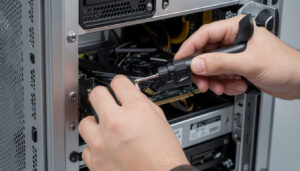
Hardware practice can involve identifying components, understanding connection types, preparing equipment for use, and following installation procedures. Students learn that the physical setup needs to be checked before assuming the problem is caused by complicated software. A loose cable, incorrect connection, or unsupported device may create symptoms that appear more complex than the actual cause.
Working through these tasks can help students become less dependent on guesses. They learn to gather information, check basic conditions, and move through likely causes in a logical order. That process is useful whether the issue involves a computer, printer, application, network connection, or user account.
Building a Repeatable Troubleshooting Process
One of the most practical abilities developed during computer technician training is troubleshooting. Technical support problems are not always presented clearly. A user may say that the computer is broken, the internet is gone, or a program has disappeared. Those descriptions communicate frustration, but they do not immediately reveal the cause.
Students learn to begin by asking questions. When did the problem start? What was the user doing at the time? Did an error message appear? Was new hardware or software installed? Does the problem affect one person or several people? Can the issue be reproduced?
The answers help students narrow the possibilities. A problem affecting one application may require a different approach from a problem affecting the entire computer. An issue involving several users may point toward a shared network or service rather than one individual device.
Students can then test possible causes one at a time. They may review cables, power, device status, system settings, software installation, account access, or network connectivity. Changing several things at once can make it difficult to know which action resolved the problem or created a new one. A structured process encourages students to make deliberate changes and observe the result.
Hands-on exercises also teach students what to do when the first idea is wrong. A setting may appear normal, a cable may be connected correctly, or restarting an application may not solve the issue. Instead of becoming stuck, students return to the information they gathered and choose the next reasonable check.
This is where instructor feedback becomes valuable. An instructor can ask why the student selected a particular step, identify a possibility that was overlooked, or explain why one test should occur before another. Students learn not only the eventual solution but also how to improve the reasoning that led to it.
Documentation supports the same process. Students practice recording the original problem, the information gathered, the actions taken, and the final result. Clear records help another technician understand what has already been attempted and may reveal patterns when the same issue appears repeatedly.
Connecting Technical Ability with User Support
Computer support is centered on technology, but it also involves working with people. A technically correct answer may not be useful when the student cannot explain it clearly or makes the user feel blamed for the problem.
Help desk activities allow students to practice listening, questioning, and explaining technical steps in plain language. A user may not recognize terms related to operating systems, network adapters, storage, or security permissions. The support specialist needs to communicate without overwhelming the person or treating a lack of technical knowledge as a failure.
Students can practice guiding someone through a process step by step. This may involve confirming that the user sees the correct menu, explaining where to locate a setting, or asking the person to describe what appears on the screen. These interactions require patience because the support specialist cannot always see the problem directly.
Customer service also involves setting reasonable expectations. Some problems can be addressed during the initial interaction, while others require more time, additional access, replacement equipment, or referral to another technician or vendor. Students learn that escalating a problem appropriately can be part of good support rather than evidence that they failed to solve it.
Practical training may also involve setting up equipment for another person’s use. That can include connecting cables, installing an operating system or application, checking that the system functions correctly, and explaining the basic procedures the user needs to know. The task is not finished simply because the equipment turns on. The student also needs to confirm that it is ready for its intended purpose.
These activities help students understand that computer support combines technical reasoning, communication, organization, and responsibility. The person asking for help wants technology restored so work can continue. Effective support keeps that goal in view while the technician investigates the details.
How SCI Structures Practical Computer Support Training
SCI’s Computer Support Specialist diploma program includes 720 clock hours and 58 quarter credits, with an estimated completion time of 27 weeks. The curriculum contains 440 theory hours and 280 laboratory hours. Students study computing essentials, operating systems, hardware, productivity tools, networking, security, help desk concepts, and career preparation.
The program does not require an externship. Instead, applied learning takes place through computer equipment, simulated software, guided technical exercises, and laboratory assignments incorporated into the courses. Students need to participate actively because those activities provide the setting in which they practice using the concepts taught during theory instruction.
SCI offers the program through distance education at its Austin campus and through traditional campus instruction in Brownsville. Online students complete practical activities through the digital learning environment and need dependable access to a suitable computer and internet service. Brownsville students attend campus and work within a classroom environment that provides access to hardware and software for demonstrations and application.
The catalog lists a Windows 10 or 11 PC or compatible Mac laptop with at least 8 GB of memory, a 512 GB drive, and an Intel Core i5 or AMD Ryzen 5 processor as the program’s computer requirement. Students should confirm current specifications before purchasing equipment.
Hands-on computer technician training helps students build practical skills by requiring them to apply technical information rather than only repeat it. They practice setting up equipment, examining systems, troubleshooting problems, documenting actions, and communicating with users. Contact Southern Careers Institute to compare the Austin online and Brownsville campus-based options and determine whether the Computer Support Specialist program fits your learning preferences.